Online **Project Timesheet** Software
Timesheet Portal gives you flexible employee time tracking software that adapts to how your organisation operates. Capture time in days, hours or custom units, and apply different working rates for standard time, overtime, weekends or specialist work — even within the same task.
Track time by project, activity, role or grade, and attach different pay or charge rates as needed. This makes it easy to manage time for employees, contractors and mixed workforces without relying on spreadsheets or manual rework.

Advanced rates management
Set pay and charge rates to support accurate employee time management and real-time visibility of costs, charges and margins across your organisation.
Our in-depth rates configuration interface allows you to set rates on different levels, e.g. per client, per project, or per employee performing a specific task on a project. There are more than 10 different rate types that can be set, each with its own priority. Track non-time rates, such as the number of calls made in a teleresearch environment.
-
Pay/Bill by the hour / day
-
Set rates per project / task / employee and more
-
Manage rates in different currencies
-
Quick project and task budget reports


Automatic Overtime Calculation
Managing overtime is a key part of effective employee time management, and manual calculations often lead to errors and delays. We'll take that pain away from you and minimise mistakes originating from human error. Keep your focus on payroll rather than number crunching.
In Timesheet Portal, overtime can be calculated with weekly and daily thresholds or time-of-day bands. You can go even deeper to calculate a minimum payment for a shift. Additionally, you can take into account start times of work, add additional pay for public holidays or offer higher rates for more desolate locations.
Learn More![Automated Overtime[1]](/media/wddhhsta/automated_overtime-1.svg)
Timesheet Rules
Timesheet Portal acts as a configurable employee time tracking system, giving you control over how time is entered, validated and approved. Our timesheets are highly configurable, so you can define their structure and task availability for differing employees or teams. Define rules to prevent the entry of time exceeding thresholds (e.g. employee's working hours), or rules to ensure that the employees’ time always adds up to a specific amount each day or week.
You can also define available days for certain tasks, restrict time on holidays and prevent entering of time once a task budget has been depleted. All in all, you get to build timesheets that are catering to your unique needs. Our timesheets adapt to you, not the other way around.
![Timesheet Rules[1]](/media/yqvcq3ac/timesheet_rules-1.svg)
Approval Workflows
Approval can be a single stage or configured to involve multiple stages. For example, the latter can have a project manager approve submitted timesheets first before they’re passed to the line manager.
At Timesheet Portal, approval can be performed against the whole timesheet, broken up per project contained within a timesheet, or even at the task level. Audit trails of approvals are then stored and easily accessible within the platform. What’s more, you can include them in client invoices with little to no effort.
![Approval Workflows[1]](/media/rzipyefl/approval_workflows-1.svg)
Clock In and Out
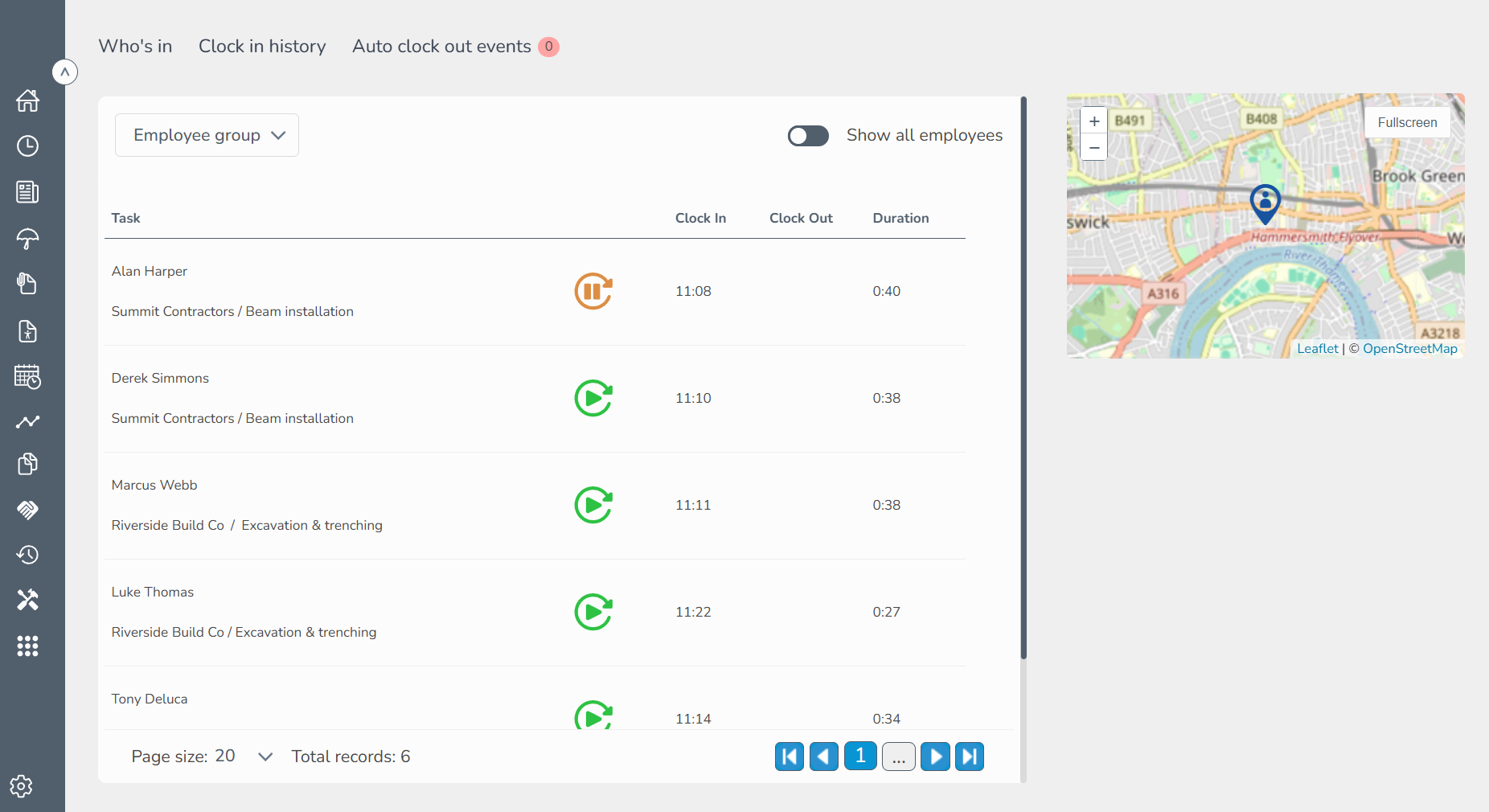
Workers can clock in and clock out using our mobile app, which also supports timesheet entry — ideal if you need an employee time tracking app alongside online timesheets. To speed the process up, they can also have their timesheets automatically populated and submitted.
To offer a layer of security, Timesheet Portal tracks GPS coordinates. This way you can see the locations of all clock-in and clock-out events on a map and obtain a physical audit trail.
Learn More